


 delarocha83


PREVIEW:
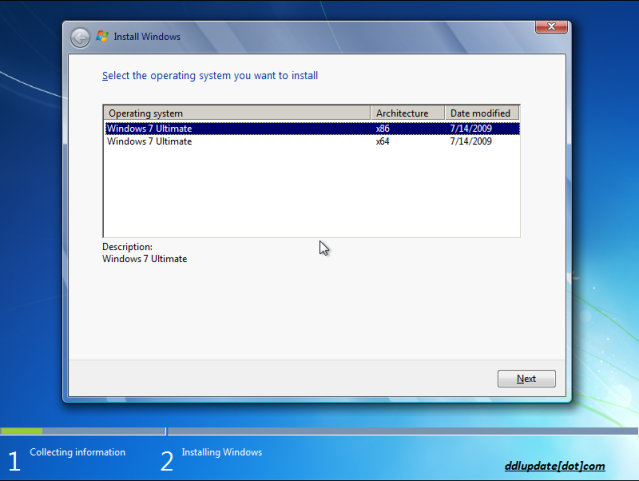
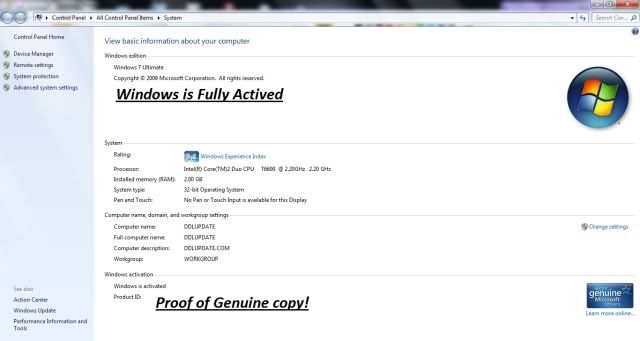
No serial and no activation needed | Size: 3.47GB | Genuine version | FULLY UPDATABLE with Windows Update.
LANGUAGE:
Installation is in English but you can change language afterwards to any of this list via Windows Multilingual User Interface (MUI)* Arabic
* Brazilian Portuguese
* Bulgarian
* Chinese Simplified
* Chinese Traditional - Hong Kong
* Croatian
* Czech
* Danish
* Dutch
* English
* Estonian
* Finnish
* French
* German
* Greek
* Hebrew
* Hindi
* Hungarian
* Italian
* Japanese
* Korean
* Lithuanian
* Norwegian
* Polish
* Portuguese
* Romanian
* Russian
* Serbian Latin
* Slovak
* Slovenian
* Spanish
* Swedish
* Thai
* Turkish
* Ukrainian
INFO:
If you want to run Windows 7 on your PC, here's what it takes:
* 1 gigahertz (GHz) or faster 32-bit (x86) or 64-bit (x64) processor
* 1 gigabyte (GB) RAM (32-bit) or 2 GB RAM (64-bit)
* 16 GB available hard disk space (32-bit) or 20 GB (64-bit)
* DirectX 9 graphics device with WDDM 1.0 or higher driver
Additional requirements to use certain features:
* Internet access (fees may apply)
* Depending on resolution, video playback may require additional memory and advanced graphics hardware
* For some Windows Media Center functionality a TV tuner and additional hardware may be required
* Windows Touch and Tablet PCs require specific hardware
* HomeGroup requires a network and PCs running Windows 7
* DVD/CD authoring requires a compatible optical drive
* BitLocker requires Trusted Platform Module (TPM) 1.2
* BitLocker To Go requires a USB flash drive
* Windows XP Mode requires an additional 1 GB of RAM, an additional 15 GB of available hard disk space, and a processor capable of hardware virtualization with Intel VT or AMD-V turned on
* Music and sound require audio output
Product functionality and graphics may vary based on your system configuration. Some features may require advanced or additional hardware.
INSTRUCTIONS
- Download and extract using WinRAR.
- Use Nero or other burning app to burn the ISO image
- Burning speed should not be faster than 4x. Otherwise, it might not work.
- Restart your computer.
- Make sure you have selected your DVD-ROM/RW drive as a first boot device.
* Enter the BIOS pressing the DEL button, set the option, insert your Windows 7 installation and restart computer.
- The black screen will appear (image 01).
- Press any key to boot from CD or DVD.... (by pressing the key you are entering the setup)
- Select your language, time and currency and keyboard input (optionaly)
- Click install now
- Choose your edition (x86 is 32-bit, x64 is 64-bit) depending of CPU type you have.
*Choose x64 if you have 64-bit processor.
- Click "I accept".
- Click "Custom" (advanced).
- Choose your partition/hdd drive where Win7 should be installed and click format.
*You might get some error if you have two or more hard disks with different connectors (ATA and SATA).
If you get an error, turn off one of your hard disks and repeat the whole proces.
- After formatting, setup will continue automaticly and it will finish after 15-30 min.
- Next step would be username
- Type your password (if you want).
- When you get the screen for CD-KEY just ignore it leaving blank.
*Uncheck the box for automaticly activation and click next.
- Choose the third option for next step.
- Select your time zone.
- Select your current location (Home is recommended).
- The black CMD windows will appear. Wait a few seconds until computers restares once again.
- And that would be all about installation. You are in Windows now.
Activation:
It is not required, because it is OEM. Windows will be premanently activated.
However, it is well known that there is some problems with DELL and HP machines.
So if you have issues with pre-activation you will be forced to some activator to activate Windows 7.
DOWNLOAD FROM MEDIAFIRE:

>> HERE <<
LOADER ACTIVATION
>> HERE <<
REMOVE WAT ACTIVATION / CRACK FOR GENUINE
>> HERE <<
Credit To: khuma_putry from IDWS


